Tour
How the app is laid out
MachineKeep is the live product behind the marketing site. These screenshots show what you will see after you sign in, with private details blurred.
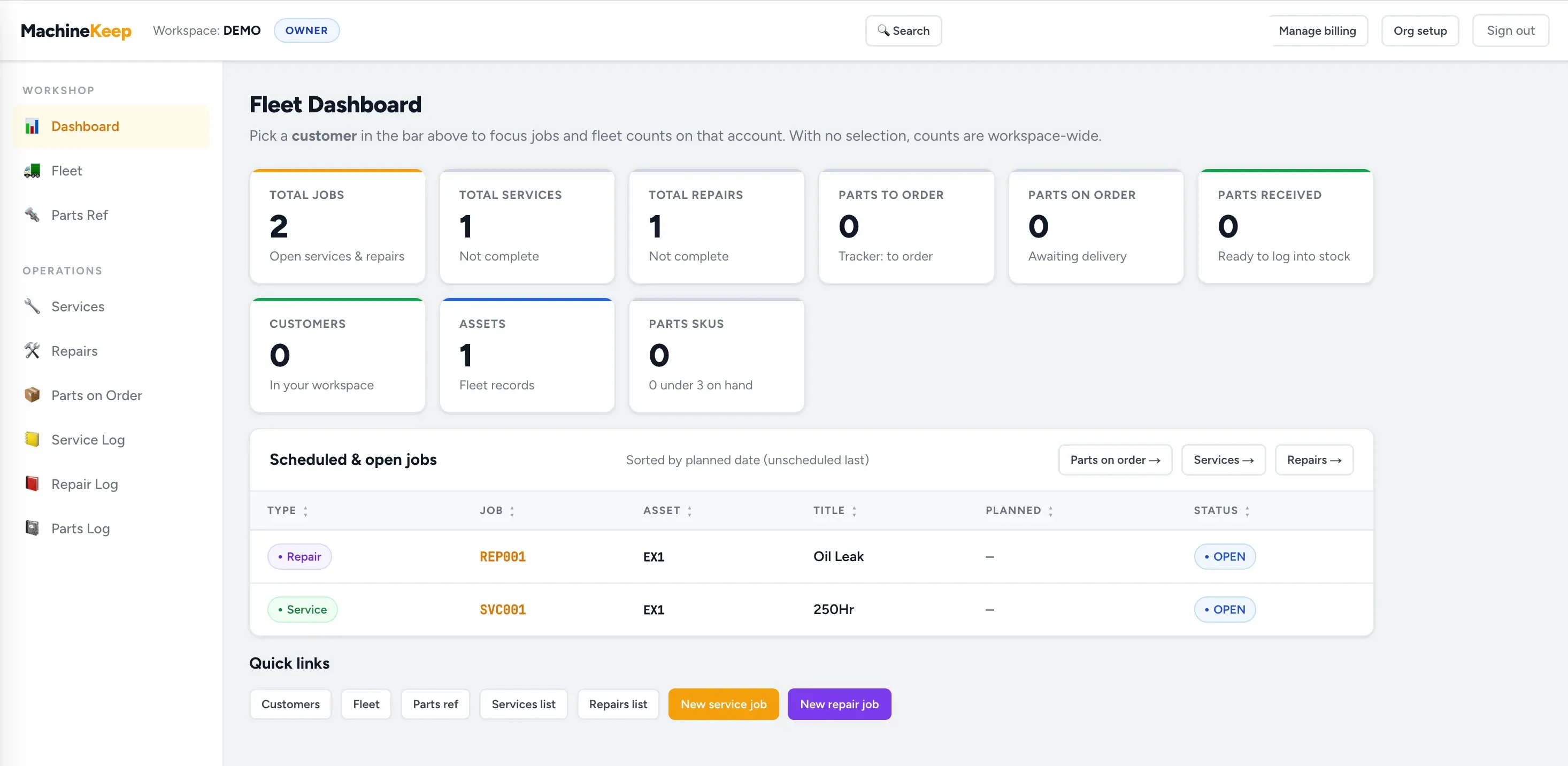
Dashboard
Open jobs, services, repairs, parts to order, parts on order, customers, assets, and low-stock parts are all visible from the first screen.
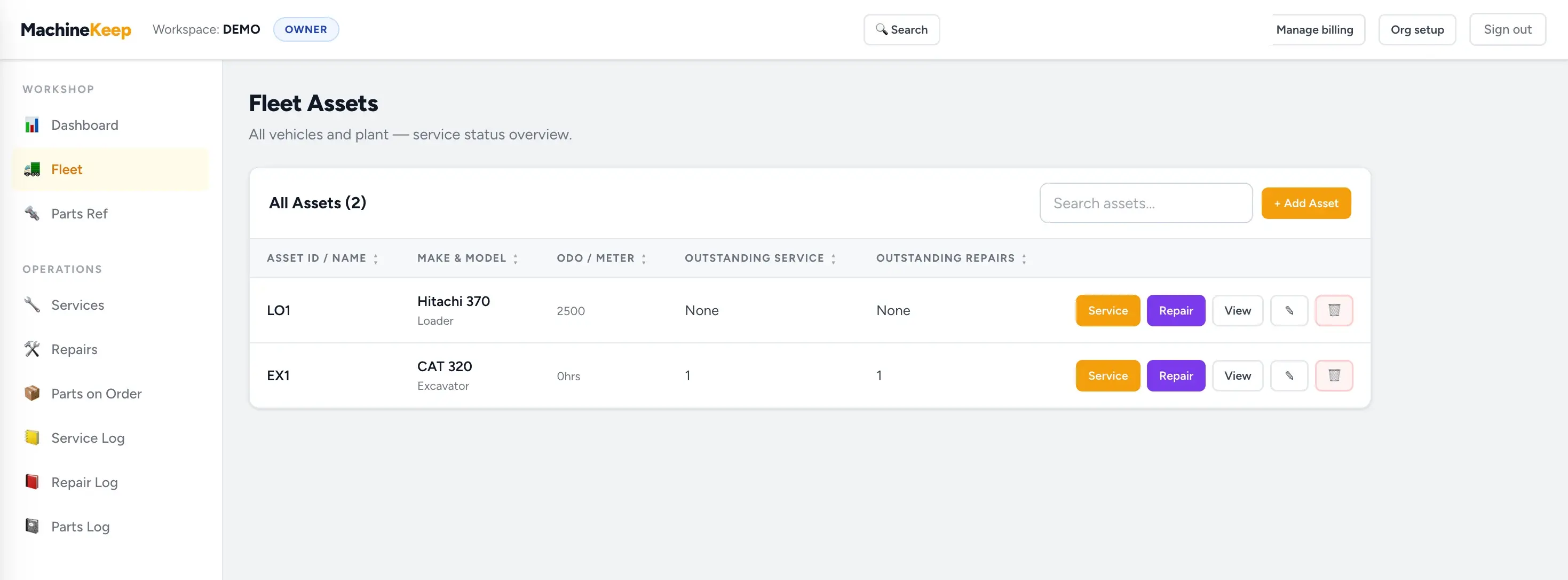
Fleet Assets
See every asset in the workspace with make, model, readings, outstanding service work, outstanding repairs, and quick actions.
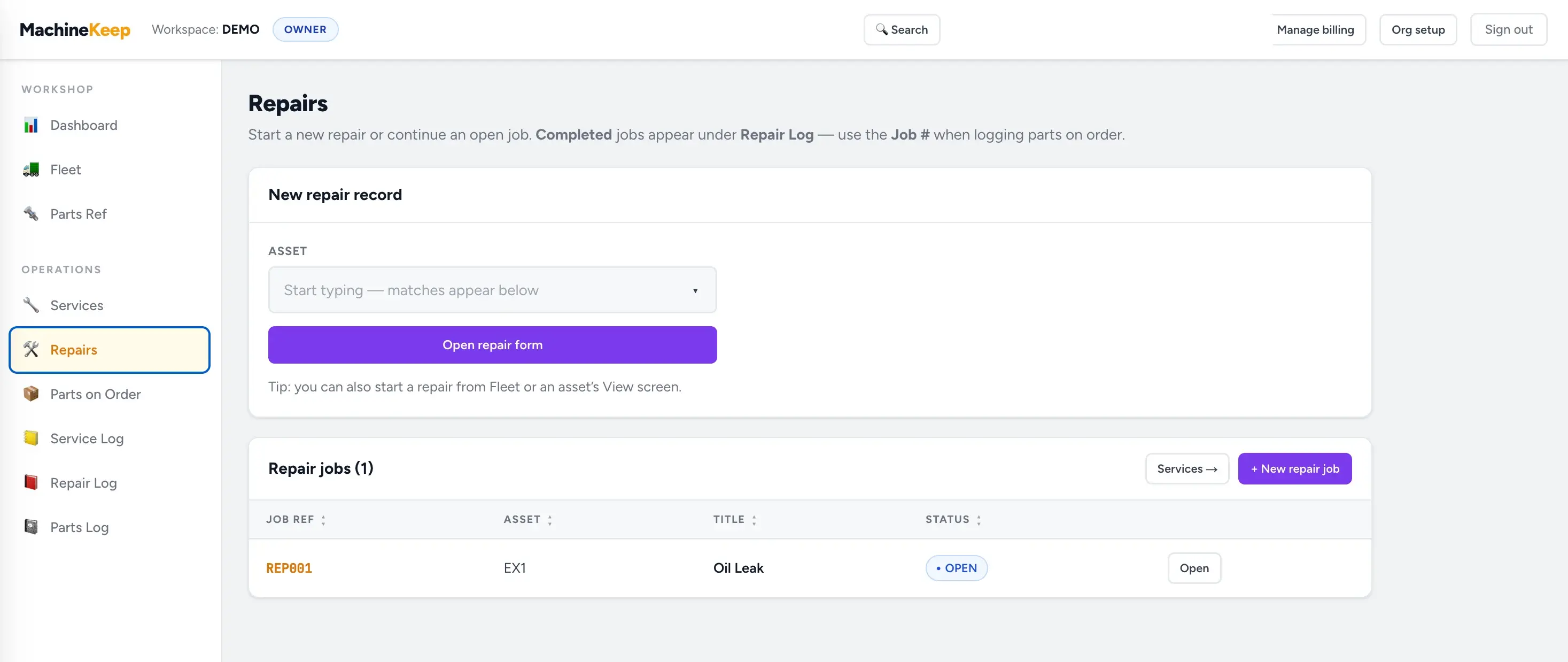
Repairs
Open repairs stay visible with job number, asset, title, and status until the work is finished and moved into the repair log.
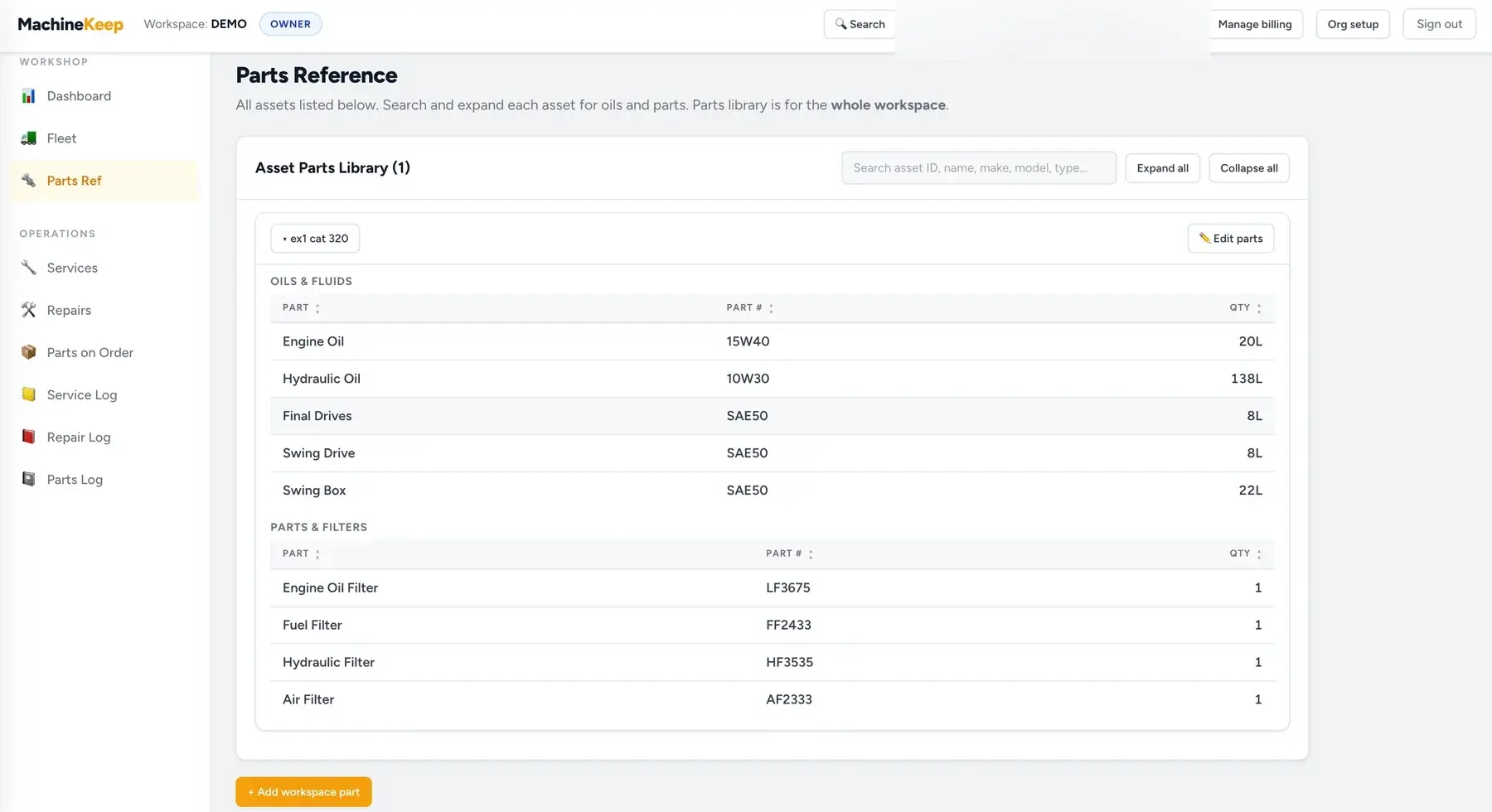
Parts Reference
Expand an asset to see the exact oils, fluids, filters, part numbers, and quantities it needs.
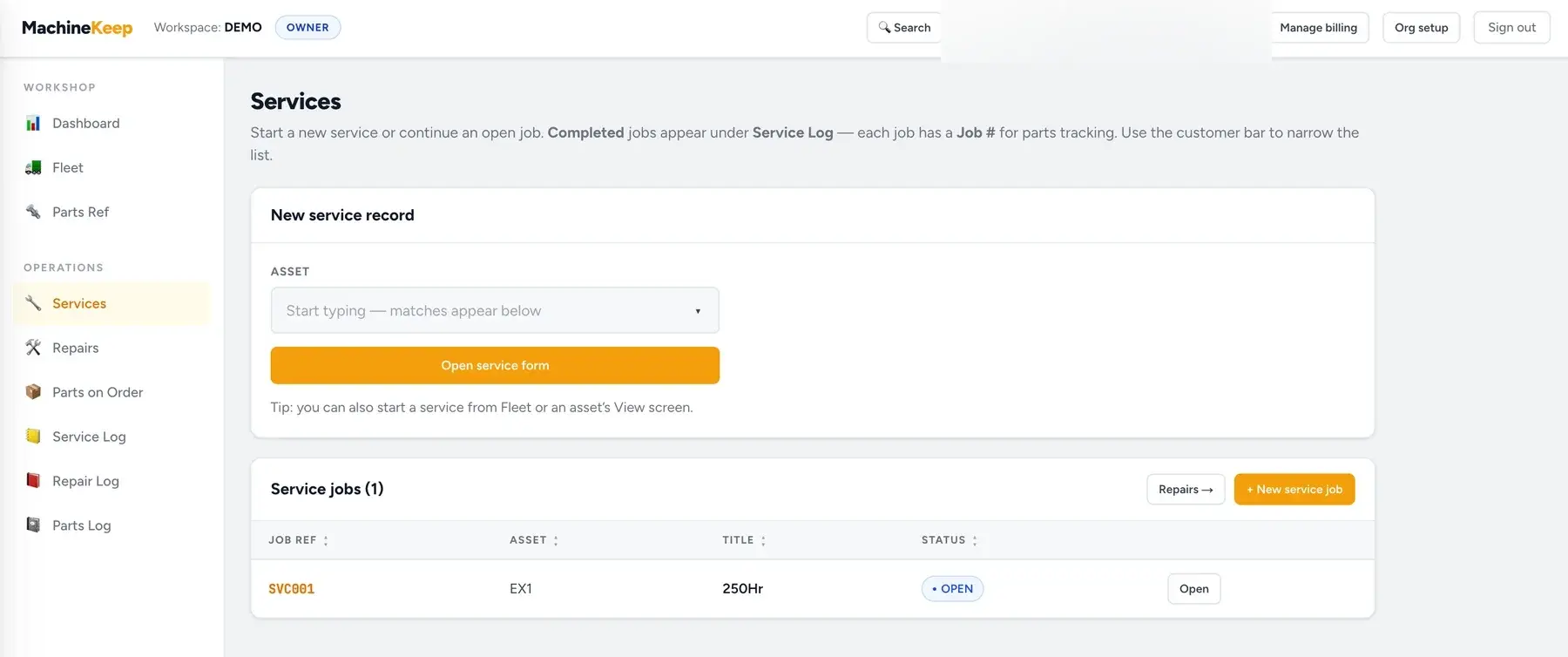
Services
Start a new service, pick the asset, and keep open service jobs visible until they are completed.
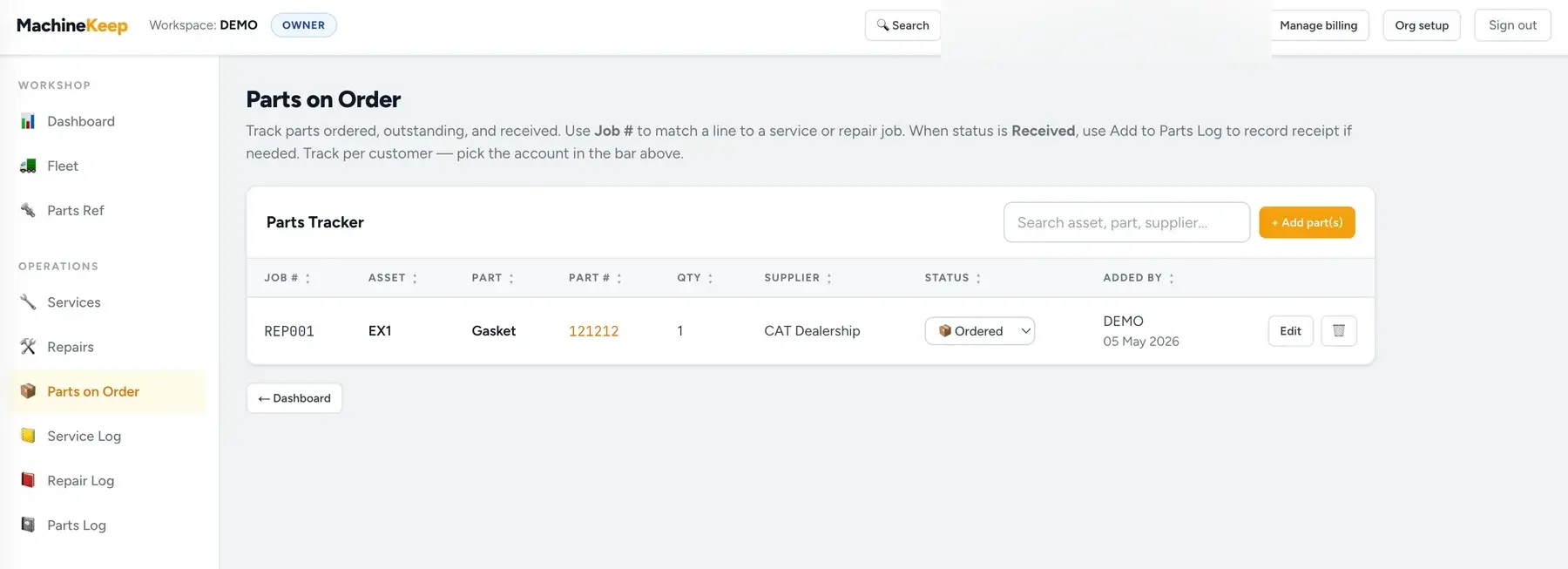
Parts on Order
Track each ordered part by job number, asset, supplier, quantity, and status.
- 1
Customer bar
Pick a customer to focus the dashboard, fleet list, jobs, and logs on one account — or show the whole workspace. Everything stays scoped so customer data never mixes.
- 2
Customers & fleet
Store business contacts, sites, and every machine with make, model, meter type, and serials. Open an asset for oils and filters reference lines, quick links to new service or repair jobs, and the asset’s history.
- 3
Services & repairs
Separate job numbers (SVC### and REP###), statuses, scheduling, descriptions, and parts pulled from your on-hand catalog. Rich forms match how workshops record work on-site.
- 4
Parts reference & parts on order
SKU-style parts with quantity on hand for jobs. The parts-on-order board tracks supplier lines from ordered → in transit → received, with hooks into your parts log where you use them.
- 5
Logs
Service log, repair log, and parts log give dedicated tables without re-hunting through job lists.
- 6
Team & invites
The workspace owner can rotate an invite link in Settings → Team. Each mechanic signs in with their own email and password (or Google), joins the same database, and the subscription can include extra seats on the same Stripe plan.
- 7
Install & billing
Add MachineKeep to your home screen (web app manifest). Sign in with email/password or Google; subscribe personally or bill the whole workshop. Only the billing owner sees Manage billing for the organisation in the header and can change the plan in Stripe’s portal.
Ready to try it with your own data?